


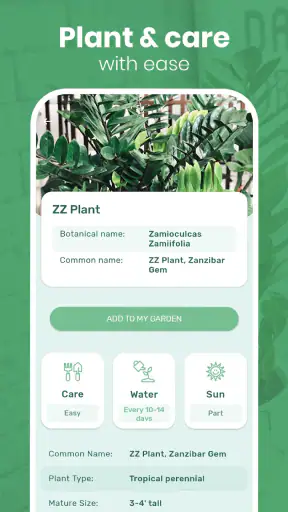
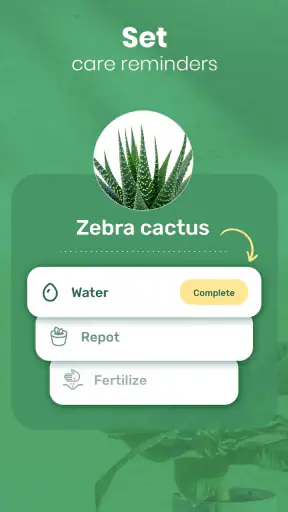
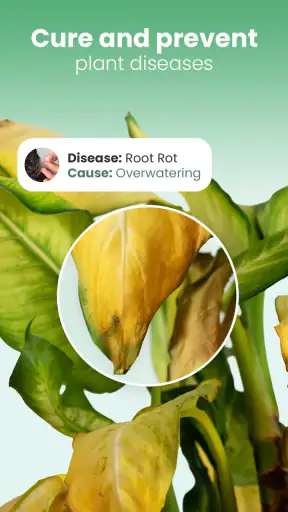

I downloaded Blossom – Plant Identifier expecting a quick photo-recognition tool, the kind of app I might use once after finding an unfamiliar leaf and then forget. My first impression was more useful than that. It combines plant identification with care reminders, so the experience is not limited to naming what is growing in front of me. It tries to turn curiosity into an ongoing habit: recognize a plant, understand what it needs, and remember to look after it.
That combination is the reason I can see myself recommending it to someone who keeps houseplants but regularly forgets watering, or to a beginner who wants a friendlier starting point than a long gardening book. At the same time, I would not treat it as a replacement for careful observation or expert advice. A photo can suggest an identity, but plant care still depends on light, soil, season, pot size, and the condition of the individual plant.
Blossom is a free education app from Mosaic Srl, rated for Everyone. It has reached over 5 million installs and holds a 4.4 average from around 186 thousand ratings, which gives it a substantial user base rather than the feel of a tiny experimental utility. The current version is 1.56.4, and it runs on Android 7.0 or later. Optional in-app purchases range from $0.99 to $86.99 per item, so the free starting point is appealing, but anyone planning to use it regularly should pay attention to which parts of the experience require payment.
Why the first week feels satisfying
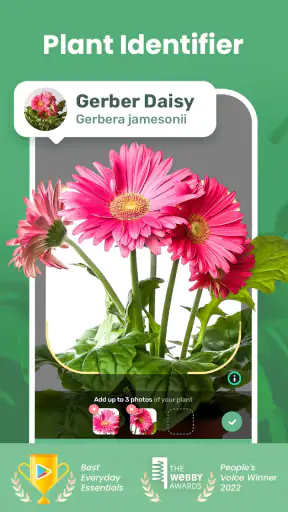
The strongest early experience is the simple photo-to-answer loop. You see a plant, open the app, take or choose a photograph, and receive help identifying it. That is much more inviting than searching through image results and trying to compare dozens of similar leaves. For a new plant owner, the immediate payoff is clear: an unknown plant becomes something you can talk about and care for with more confidence.
I especially like this approach for plants bought without proper labels. A cutting from a friend, a supermarket houseplant, or a volunteer plant in the garden can all become small identification projects. The app makes that process feel approachable because the camera is the starting point, not botanical vocabulary. You do not need to know whether the leaf arrangement is opposite or alternate before asking for help.
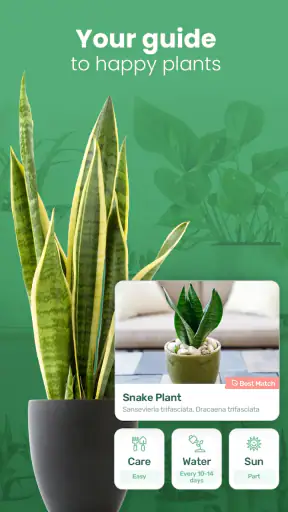
The first week also reveals an important practical strength: identification and care are connected. Many plant apps stop after giving a name, leaving you to start another search for watering, light, or seasonal advice. Blossom is more useful when I want to move immediately from “What is this?” to “What should I do next?” That shortens the distance between learning and action, which matters when a plant is already showing stress.
My advice is to photograph more than one part of a difficult plant. A clear image of the whole shape can help with growth habit, while a closer view of leaves, flowers, or stems may provide better clues. Avoid taking the picture in heavy shadow or with several plants overlapping. This is not a trick that guarantees a correct result, but it makes the identification step more sensible than pointing the camera at a cluttered shelf.
Useful for beginners, not a botanical authority
Blossom is at its best as a first layer of guidance. It can help a beginner recognize common plants and organize basic care, but I would still compare an uncertain result with the plant’s label, a trusted nursery source, or a local gardening expert. Similar-looking species can have different watering and light needs, and a damaged leaf may confuse any image-based system.
That limitation does not make the app pointless. It simply defines the right role. I use the identification as a starting hypothesis, then check whether the suggested plant matches its leaves, growth pattern, flowers, and environment. If the result seems surprising, I would not immediately change the plant’s routine. Sudden overwatering or moving a plant into harsh sunlight can cause more harm than waiting for a second opinion.
The app is also a pleasant fit for families and children because the content rating is Everyone and the camera-based discovery feels more engaging than a static encyclopedia. A child can photograph a garden plant and begin learning its name, while an adult can handle the care decisions. For school projects or casual nature walks, that combination gives the activity a clear purpose without making it feel like homework.
What remains useful after the novelty fades
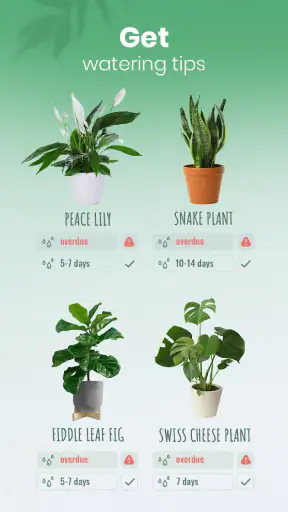
The real test for Blossom is not whether identifying a plant feels exciting on the first day. It is whether the care side earns a permanent place on my phone. In my experience, reminders are the feature with the best chance of doing that. Plant care is repetitive, and repetition is exactly where memory fails. A reminder can turn an intention into a visible task, especially for someone with several plants spread across different rooms.
A realistic example is a busy workweek. I might water one plant on the weekend, overlook another behind a chair, and assume a third received enough moisture because its soil looked dark. A care reminder gives me a reason to check rather than rely on memory. The useful habit is not blindly watering whenever an alert appears; it is using the alert as a prompt to inspect the soil, leaves, and overall condition.
That distinction is important. Reminder schedules are not the same as automatic plant knowledge. A plant in a bright, warm room may dry out differently from the same species in a cooler corner. The container, soil mix, humidity, and season also matter. I would treat Blossom’s reminders as inspection prompts, not commands. If the soil is still wet, I would delay watering rather than follow the notification mechanically.
This is one of the app’s less obvious strengths: it can support a better routine without pretending that plants behave like alarms. The best workflow is to open the reminder, look at the plant, and record a decision based on what you see. That turns a notification into observation. Over time, the habit may teach a beginner more than a fixed schedule would, because it encourages attention to the plant’s actual condition.
Month to month, the app is most valuable for people who own enough plants to lose track of individual needs. Someone with a single hardy plant may not need a dedicated organizer. Someone with several plants, especially different varieties in different rooms, can benefit from a central place to remember what needs checking. The more varied the collection, the more useful the organizational side becomes.
Where it fits beside ordinary alternatives
Compared with a general web search, Blossom is faster and less intimidating when I do not know the plant’s name. Search is still better when I need a detailed answer about a specific disease, local climate, unusual species, or treatment method. Web pages can provide broader context, while the app offers a more direct path from camera to basic care.
Compared with a paper notebook, the app is more convenient for identification and reminders. A notebook can be more flexible, though, especially if I want to record exact watering amounts, fertilizer dates, repotting notes, or observations in my own words. Blossom works best when I want guided structure; a notebook wins when I want complete control over the record.
Compared with a simple calendar, the plant-focused approach is more natural because the reminder belongs to the plant rather than to an arbitrary date. A calendar may still be better for a gardener who already has a reliable system and only needs recurring alerts. I would not move an established routine into Blossom merely because it is specialized. The benefit comes when the app reduces confusion, not when it adds another place to check.
The maintenance burden of keeping it useful
Any care app creates a small responsibility of its own. I have to add plants, review reminders, and adjust routines when conditions change. That setup is manageable at first, but it can become work if every plant generates too many alerts. The strongest long-term use comes from keeping the collection organized and removing reminders that no longer reflect reality.
I would begin with the plants most likely to be forgotten instead of entering every plant immediately. Add the one hidden behind furniture, the one with a reputation for being sensitive, or the one that has already been neglected. Once that routine feels helpful, expand gradually. This avoids turning the first session into an administrative project and makes it easier to judge whether the app genuinely improves care.
Another practical tip is to place reminders around inspection rather than automatic watering. For example, a notification can mean “check the fern” instead of “water the fern.” That small mental change prevents one of the common problems with scheduled plant care: treating a calendar interval as more reliable than the soil. The app becomes a memory aid, while the final decision remains yours.
There is also a trade-off between convenience and detail. A guided app can make care approachable, but experienced growers may want more precise tracking than a simplified routine provides. If you already maintain detailed notes about fertilizer strength, propagation, pests, and environmental changes, Blossom may feel like a companion rather than a complete gardening journal.
What may cause fatigue over time
The first source of fatigue is notification overload. Reminders are helpful when they rescue a forgotten task; they become noise when they arrive too often or at the wrong time. If I receive alerts for plants that are already easy to remember, I am likely to dismiss them all, including the important ones. Pruning the reminder list is therefore part of using the app well.
The second is overconfidence in identification. The photo feature is convenient, but a plant’s identity is not the only question. A correct name does not automatically reveal whether the plant is suffering from root problems, pests, poor drainage, or an unsuitable location. I would be cautious whenever the app’s suggestion conflicts with what I can see. Identification should reduce guesswork, not eliminate judgment.
The third is the possibility of subscription or purchase friction. The app is free to start, but it includes optional purchases from $0.99 to $86.99 per item. That wide range makes it especially important to understand what is available without paying before building a routine around the service. I would explore the free experience first and only consider spending money if the ongoing reminders and identification workflow clearly save me time.
That pricing structure also affects who should skip it. If you want a completely free, no-pressure plant log, a notes app, calendar, or spreadsheet may suit you better. Those alternatives require more manual setup, but they avoid the uncertainty of optional purchases. Blossom is a better fit for someone who values convenience and is willing to evaluate the paid boundaries rather than assuming every useful function is included at no cost.
People with rare plants or serious horticultural problems should also keep their expectations measured. The app can be a helpful first stop, but specialist forums, nurseries, extension services, or an experienced grower may provide better answers for unusual diagnoses. I would particularly avoid relying on a single photo-based suggestion when a plant is rapidly declining or when a treatment could damage it.
My long-term verdict on Blossom
After the initial excitement of recognizing plants fades, Blossom has a reasonable chance of staying useful because its care reminders address a recurring problem rather than a one-time curiosity. That is the difference between a novelty camera tool and a practical plant companion. The identification feature gets me into the app, but the reminder habit is what could keep it there.
I would recommend it to beginners, casual indoor gardeners, families exploring plants together, and anyone who repeatedly forgets which plant needs attention. It is particularly helpful when a collection is growing beyond what memory can comfortably manage. The free entry point makes it easy to test, and the Everyone rating keeps it accessible for ordinary household use.
I would be more selective for experienced gardeners who already have a detailed tracking system, people who dislike notifications, or users looking for authoritative diagnosis of difficult plant health problems. For those readers, Blossom may duplicate an existing calendar or notebook without offering enough extra depth. A specialist source is also the safer choice when the consequences of a wrong identification are significant.
My final recommendation is to use it deliberately: photograph plants in good light, treat results as guidance, create only the reminders that solve a real memory problem, and inspect the plant before acting on an alert. The lasting value is not the novelty of naming a leaf; it is the small, repeatable habit of checking the right plant at the right time. With that approach, Blossom feels less like an app I open once and more like a lightweight aid for becoming a more attentive plant owner.


